
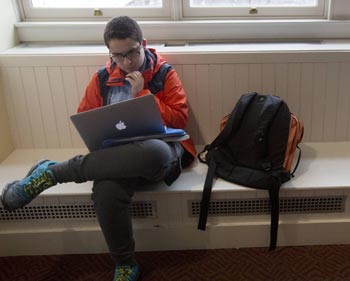
 How should Milton support and facilitate integrating technology in the classroom? Over the past year, a group of administrators, faculty and staff have considered that issue. Co-chaired by David Ball, Upper School principal, and Bryan Price, chief information officer, the group considered how faculty use instructional technology today; students’ access to various devices; and ways to make sure that faculty and students can take advantage of educational technology into the future. The group ultimately concluded that every student having access to his or her own personal laptop in class each day would best serve teaching and learning at Milton. Beginning in the 2016-2017 school year, Milton will implement a new policy that each Upper School student bring his or her own laptop to class.
The majority of Upper School students already have access to a personal laptop and report that they bring it to class each day. Shifting this practice to a policy will have several positive outcomes:
- Teachers will expect that each student can access a computer when coursework called for its use.
- Every teaching space can transform into a “lab” as needed, eliminating time spent moving to and from computer labs.
- Faculty and students will no longer be frustrated by trying to share computers.
- Students will feel a sense of ownership about their laptop (freedom to choose brand, model, color, personalization).
Many schools like Milton already require students to bring laptops with them to class each day. This plan enables teachers and students to react in real time when a unit, discussion, idea or other catalyst leads to technology opportunities that enhance students’ learning.
You may have questions about this policy, and we have anticipated many of those. Please read the parent questions and answers below, where you will also find contact information for individuals who can answer your specific questions.
FAQs on Upper School Device Strategy
Why is Milton instituting this policy?
Approximately 90% of Milton Upper School students have their own laptops, and 75% of those students bring a laptop to school with them every day. If teachers can expect that all students have access to their laptops in class, teachers can integrate technology into their instruction more expansively, creatively and efficiently. Using a familiar device in the classroom allows each student to inquire, investigate and write or express him or herself most effectively.
Why not require a single device for all Upper School students?
Milton’s approach allows families and students to choose the device that works best for their needs.
What are the technical specifications? Which operating systems will Milton support?
Please download the Recommended Devices and Technical Specifications.
Technical Support
Where can students get support?
http://www.milton.edu/ats/
Milton’s ATS HelpDesk will help any student connect his or her personal device to the Milton networks and access any Milton technology available to them. ATS also helps students troubleshoot hardware and software problems. The HelpDesk may be able to perform minor repairs to personal computers, but these issues are often best resolved by the manufacturer while the computer is under warranty. If ATS support cannot repair a computer, they can provide advice or assist in contacting the manufacturer to begin the repair process.
What if my child’s computer needs to be charged at school?
We strongly encourage students to bring a fully charged computer to school each day. The School will provide charging solutions around campus. Students will have access to shared machines in computer labs and other common areas, should the need arise.
If my child’s computer breaks and needs to be serviced, will Milton provide a machine for him or her to use in the interim?
On a first-come, first-served basis, Milton will provide a computer for your child’s use until such time as his or her computer is again in working order. Please note that the School’s supply of loaner machines is limited, and we expect students to make every effort to limit the time spent using a School-provided computer. Loaner machines will be available at Cox Library and through the ATS office (located in the basement of Warren Hall, near the bookstore).
Should I get an extended warranty or insurance for my child’s computer?
Milton recommends carefully considering the insurance plans available for your child’s laptop. We recommend a policy that covers accidental damage in addition to normal wear and tear. You may also be able to add the computer to your homeowner’s insurance.
What if my child is studying at an off-campus program?
Off-campus programs (such as Chewonki or the Mountain School) have their own guidelines for device requirements and use. We encourage you to contact the specific program about any requirements. Your child will need to have an approved device for his or her time at Milton.
Specifications
My child has an older laptop. Will it be sufficient for classwork at Milton?
Any device purchased in the last 36 months should be more than adequate for most students’ required school work. If you have questions or concerns about your device, please contact Milton’s ATS department at 617-898-1767.
Can my child use a Chromebook?
The Chromebook does not support software required in certain academic classes. For this reason, we do not recommend it as a student device in Milton’s Upper School.
What software will my child need?
Software will be made available to students once they begin classes. Through the School, students have access to free or reduced pricing on Microsoft Office and other products. Once students begin classes, they will be instructed on how to install discipline-specific software.
What about antivirus software?
Milton will make antivirus software available to all students for use on their personal computers. Students may also use their own antivirus software, provided it is on our list of acceptable software applications.
Financial Aid
Will Milton provide financial aid to support students in the purchase of a computer?
Just as today, the financial aid process will consider the financial situation of each family annually, including needs that extend beyond tuition, room and board. If you have questions about financial assistance, please contact Miles Bailey at 617-898-2233.